




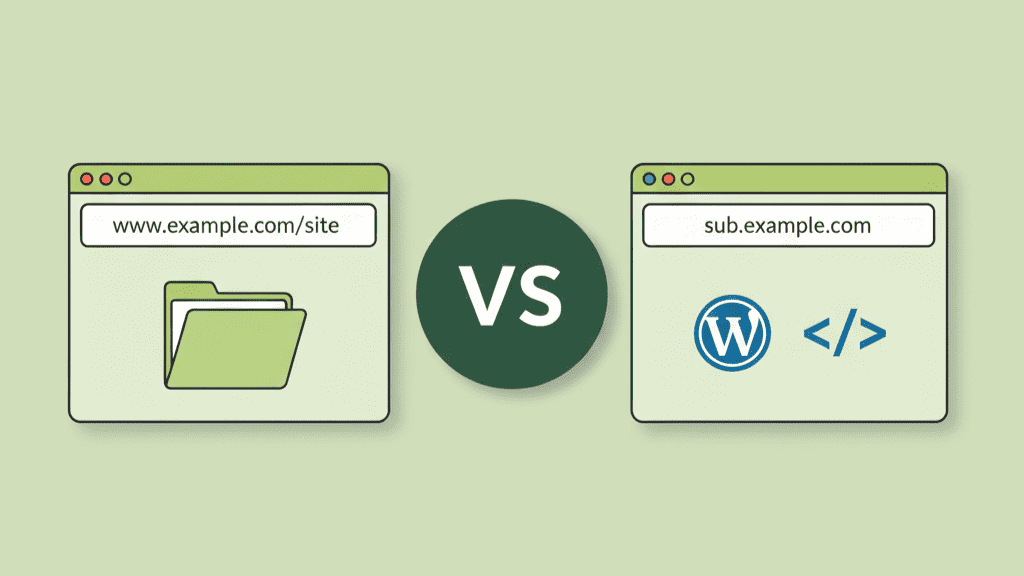

When growing a website, deciding how to structure your content is a critical step. Businesses expanding their blog, launching new services, or planning multilingual websites often face the same question:
Should I use a subdomain or a subdirectory?
This decision affects not just your SEO performance but also your branding, user experience, content management strategy, and long-term scalability. In this guide, we’ll compare subdomains and subdirectories in detail, helping you make the best choice for your website in 2026.
What Is a Subdomain?
A subdomain separates a section of your website by placing a prefix before the main domain name. Search engines treat it as a distinct website.
Example
blog.yoursite.com
academy.yoursite.com
shop.yoursite.com
Subdomains are often used when you want a clear separation in:
- Audience
- Content type
- Branding and functionality
- Technology and hosting requirements
Common Use Cases
- E-commerce stores are separate from the main business site
- Online learning platforms (academy & training websites)
- Support centers or community forums
- Development and testing environments
This structure works best when the section operates like a standalone product or experience.
What Is a Subdirectory?
A subdirectory places content under the main domain in a folder structure. It remains part of the same website identity.
Example
yoursite.com/blog
yoursite.com/products
yoursite.com/support
Subdirectories help keep content centralized and easier to manage, especially for SEO and content-driven growth.
Ideal for
- Company blogs
- Landing pages
- Service pages
- Learning resources & documentation
Subdomain vs Subdirectory: Key Differences
| Feature | Subdomain | Subdirectory |
| SEO value | Treated as a separate site | Shares domain authority & rankings |
| Setup difficulty | Requires DNS + hosting config | Simple and beginner-friendly |
| Branding | Distinct identity | Unified branding |
| Analytics tracking | Separate GA properties | Single tracking property |
| Ideal for | Different business units | Content growth under one brand |
Which One Is Better for SEO?
From an SEO perspective, subdirectories usually perform better because all content benefits from the same domain authority, shared backlinks, and existing traffic strength.
Example: If your site yoursite.com has strong authority, pages like:
yoursite.com/blog, will rank faster than
blog.yoursite.com, which must build authority from scratch.
Google has stated that both can rank well, but subdomains may require additional SEO investment such as extra link building, separate crawl budgets, and separate sitemaps.
When Should You Use a Subdomain?
Choose a subdomain when you need clear separation for strategic or technical reasons:
✔ Best Scenarios
- Dividing drastically different products or business units
- Content requiring separate design or technology stack
- International markets with different languages
- Communities, forums, or support portals
- A microsite with separate marketing strategy
Example Industries
| Industry | Subdomain Use |
| EdTech | academy.brand.com |
| SaaS | dashboard.brand.com |
| Media | news.brand.com |
When Should You Use a Subdirectory?
Choose a subdirectory when your priority is SEO authority and unified branding.
✔ Best Scenarios
- Expanding your blog or knowledge hub
- Adding marketing pages
- Growing organic traffic quickly
- Content closely related to the main business
This approach simplifies:
- Site navigation
- Content planning
- Analytics tracking
- Link building
Example
HubSpot uses: hubspot.com/blog instead of blog.hubspot.com because the blog benefits from the main domain’s massive authority.
Real Examples from Popular Brands
| Brand | Subdomain Example | Subdirectory Example | Reason |
| maps.google.com | google.com/about | Different audience & product | |
| Amazon | sellercentral.amazon.com | amazon.com/gp/help | Separate systems |
| HubSpot | academy.hubspot.com | hubspot.com/blog | SEO focus for blog |
Subdomain vs Subdirectory for WordPress Users
| Criteria | Subdomain | Subdirectory |
| WordPress setup | Uses multisite or new installation | Simple in same installation |
| Plugin & theme sharing | Separate | Shared |
| Maintenance | More work | Easier |
| Hosting cost | Higher | Lower |
| SEO difficulty | Harder | Better for ranking |
Conclusion
Both subdomains and subdirectories offer powerful advantages; the right choice depends on your long-term goals.
Choose a Subdomain if:
- You manage different audiences or products
- You need separate branding or tech stacks
- You’re building a large standalone project
Choose a Subdirectory if:
- You want faster SEO results
- You’re expanding content sections like blogs and landing pages
- You want easier setup and lower cost
For most websites especially beginners, small businesses, and content marketers subdirectories are the best approach for SEO success and simplicity in 2026.
Frequently Asked Questions
1. Which is better for SEO: subdomain or subdirectory?
Subdirectories normally perform better because they share domain authority and rank faster.
2. Are subdomains treated as separate websites?
Yes, search engines view subdomains as independent sites requiring separate SEO work.
3. Should I use a subdomain for my blog?
Only if the blog targets a different audience; otherwise, a subdirectory is more beneficial for SEO.
4. Do subdomains hurt SEO performance?
Not directly, but they split authority and require more effort to grow visibility.
5. Can I switch from a subdomain to a subdirectory later?
Yes, but it requires proper 301 redirects and migration planning to avoid ranking loss.